
Sew clothes that actually fit.
Bias & Bobbin turns Claude, ChatGPT, Gemini or Grok into a sewing teacher who has seen every mistake. Pick the right size from your measurements, plan fit changes before you cut, buy the right amount of the right fabric, get unstuck mid-project, and fix the machine when it acts up.
Get Bias & Bobbin Sewing Coach for $5 Work it out
$5 once · card, Apple Pay or Google Pay · download in a minute
Into more than one hobby? Get all 70 hobby skills for $19, this one included.
- One-time $5
- Instant email delivery
- 14-day refund
- Works in Claude, ChatGPT, Gemini and Grok
Fit plan: wrap dress, size 14
Bust 40 · waist 33 · hip 42 · pattern sized for a B cup
Woven rayon, 54 in wideSkill: confident beginnerHeight 5 ft 4 in
- SizeCut 14 at the shoulders, grade to 16 at hipsPick by high bust, not full bustFit
- BustFull bust adjustment: 1 in each sideYour bust is 2 in over the high bust plus 2Adjust
- LengthShorten bodice 3/4 in at the lengthen linePattern drafted for 5 ft 6 inAdjust
- Fabric2-3/4 yd of 54 in rayon, plus 1/4 ydPrewash rayon: it can shrink 5%Buy
- TestSew a bodice muslin firstChecks the bust fix before you cut good fabricMuslin
Everything a good sewing teacher would show you
One skill, six jobs. Claude, ChatGPT, Gemini or Grok picks the right one from what you ask.
Pattern size and fit
Pick your size from measurements and finished garment sizes, and plan full bust, length, waist and hip changes.
Fabric and yardage
What fabric suits the pattern, how much to buy on any width, and how to prewash and lay out.
Project walkthroughs
Stuck on a step? Plain-language help for zippers, buttonholes, sleeves, facings, gathers and hems.
Machine troubleshooting
Bird's nests, skipped stitches, broken needles, puckers. Most likely cause first, with the right needle and thread.
Alterations and mending
Hemming jeans, taking in waists, shortening sleeves and fixing tears, with the order to do them in.
Simple drafting
Circle skirts, tote bags, elastic waist pants, pillow covers and other projects drafted from your measurements.
Ask it like you'd ask the teacher at your sewing class
It knows machines, fabrics and fit, so you get unstuck instead of searching for an hour.
Most likely: the top thread isn't in the tension discs (high confidence)
A big tangle underneath (a 'bird's nest') is almost always a top-threading problem, not the bobbin. If the presser foot was down while you threaded, the thread skipped the tension discs, so there's no tension on top and it loops underneath.
Fix it
- Raise the presser foot and turn the handwheel so the needle is at its highest point.
- Rethread the top thread completely, following every guide.
- Hold both thread tails toward the back for the first 2 or 3 stitches.
If it still nests
Check the bobbin is in the right direction for your machine, and the needle isn't bent or dull. Change the needle every 6 to 8 hours of sewing.
Example answer from the full skill. Your answers depend on what you ask.
Honest about sewing
Sewing advice is full of 'just do it this way'. Bias & Bobbin tells you why.
- Measurements over labelsSewing pattern sizes don't match store sizes. It sizes you from measurements and finished sizes.
- Muslin when it mattersFor fitted garments it tells you when a test version will save fabric and tears.
- Simple fixes firstRethread, new needle, check the bobbin. Most machine problems end there, before a repair shop.
- Your pattern's directions winWhen your pattern says something specific, it follows the pattern and explains it.
Up and running in two minutes
No app to learn and nothing to install on your computer. It lives inside Claude, ChatGPT, Gemini or Grok.
Buy once
Pay $5 by card, Apple Pay or Google Pay. Your download link arrives by email in about a minute.
Add it to Claude, ChatGPT, Gemini or Grok
Upload the ZIP under Skills in Claude, or the unzipped folder in Gemini. It takes about 30 seconds. In Grok, upload the ZIP, or paste the included paste-in file into a new skill. In ChatGPT, add the included paste-in file to a Project.
Just ask
"What size do I cut?" "How much fabric for a circle skirt?" "Why does my machine skip stitches on knit?"
Pick your app for the exact clicks
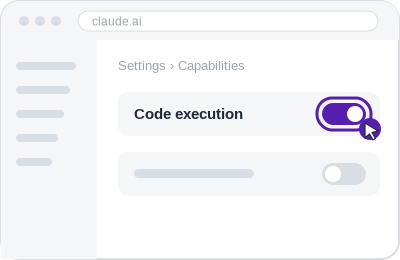
1In Settings, then Capabilities, turn on code execution.
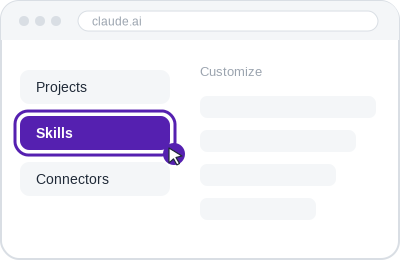
2Open Customize, then Skills.
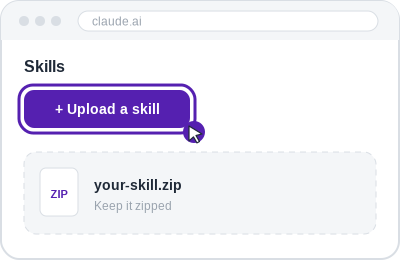
3Click +, choose Upload a skill, pick the ZIP. Keep it zipped.
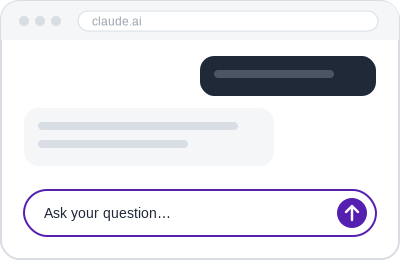
4Start a new chat and ask. Claude picks up the skill.
Works on every Claude plan, including the free one. Free plans have lower usage limits.
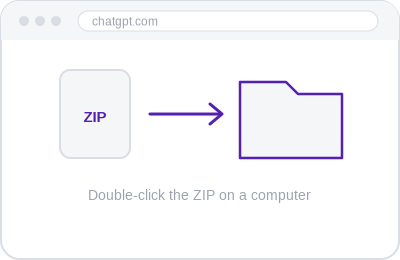
1On a computer, unzip the download and find ANY-AI-PASTE-VERSION.txt.
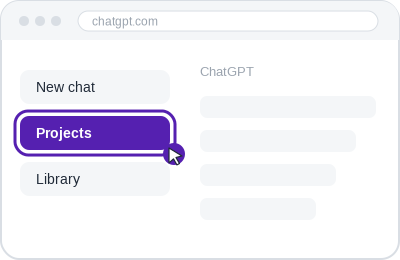
2In ChatGPT, open Projects and make a new project.
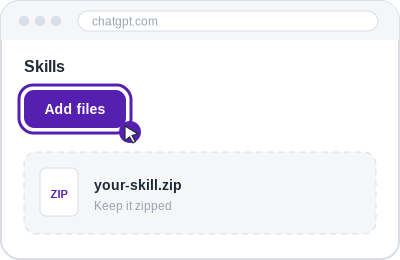
3Add the .txt file to the project. In its instructions, type: Follow the attached file.
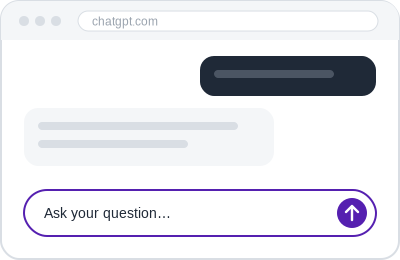
4Start a chat in that project and ask. On a Business, Enterprise or Edu plan, you can upload the ZIP under Skills instead.
Personal ChatGPT plans (Free, Plus, Pro) don't have a Skills page yet, so you use the paste-in version in a Project. On a Business, Enterprise or Edu plan, go to chatgpt.com/skills, choose Add, then Upload from your computer.
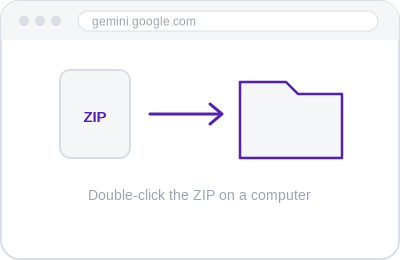
1On a computer, unzip the download. You get a folder.
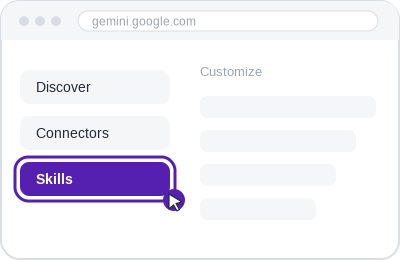
2At gemini.google.com, open Customize, then Skills.
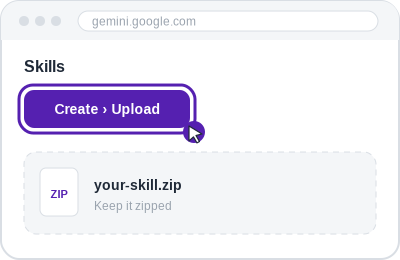
3Choose Create, then Upload, then folder. Pick the unzipped folder.
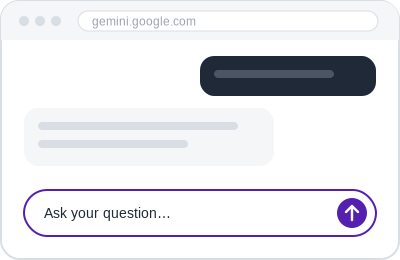
4Start a new chat and ask.
Gemini takes the unzipped folder, not the ZIP. Menus in Gemini change often, so names may differ slightly.
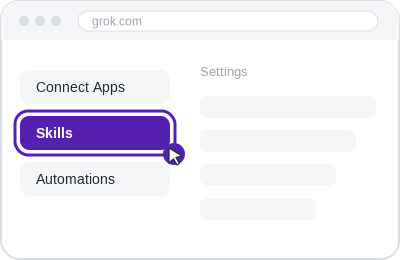
1At grok.com, open Settings, then Skills.
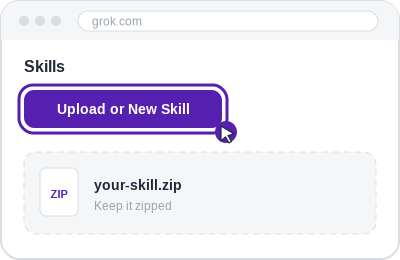
2If you see Upload, pick the ZIP. If you only see New Skill, use the next step.
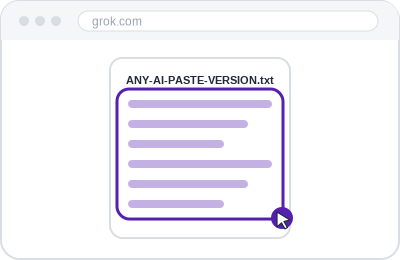
3New Skill: name it, then paste the text of ANY-AI-PASTE-VERSION.txt (below the line of equals signs) into Instructions.
4Save it, start a new chat and ask.
Some Grok plans upload the ZIP; others show a New Skill form, where you paste the skill text in. Menus in Grok change often, so names may differ slightly.
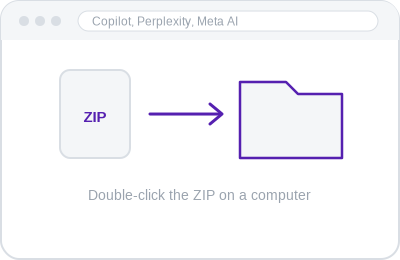
1No Skills page? Unzip the download on a computer.
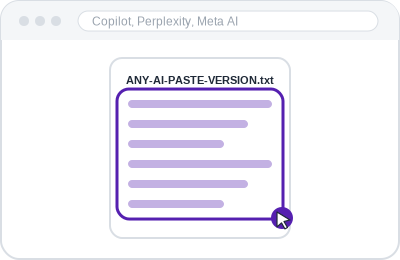
2Open ANY-AI-PASTE-VERSION.txt and copy everything.
3Paste it into a new chat, then ask your question.
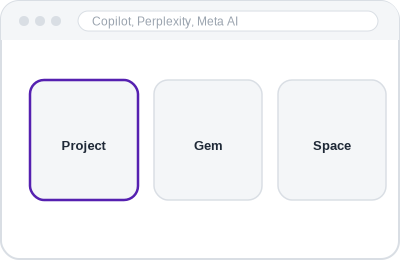
4To keep it on, add it to a ChatGPT Project, Gemini Gem or Perplexity Space.
Using Claude Code, Codex, Cursor or another coding agent? Unzip it into the skills folder, for example unzip bias-bobbin-sewing-coach.zip -d ~/.claude/skills/
On your phone? Go ahead and buy: the download link goes to your email and works for a year. Adding a skill is easiest from a computer, in a web browser or the desktop app, so open that email there when you're ready. Want to try it on your phone today? Open the ZIP, copy ANY-AI-PASTE-VERSION.txt into any chat app, and ask.
Start with the free Size Finder
A small skill that picks your pattern size from your measurements and the pattern's charts, and flags where you'll need to grade between sizes.
- Reads body and finished garment charts
- Picks the size for the fitted area
- Flags grading and length changes
Get Bias & Bobbin Sewing Coach
Pay once, use it whenever you need it. Includes the free Size Finder too.
How to add it
Upload the ZIP under Skills in Claude, or the unzipped folder in Gemini (in Grok, upload the ZIP or paste the paste-in file into a new skill; in ChatGPT, add it to a Project), then start a new chat and try: "Here are my measurements and the pattern's size chart. What size should I cut, and do I need any adjustments?"
See the clicks for your app. Every download also comes with a paste-in version for any other chat, and a Start Here PDF.
Step-by-step guides with pictures: Claude · ChatGPT · Gemini · Grok
Bias & Bobbin Sewing Coach
Fit, fabric, technique and machine help for every project.
$5 one time
- Pattern size and fit adjustments
- Fabric choice and yardage on any width
- Step-by-step project help
- Machine troubleshooting with needle and thread picks
- Alterations and mending
- Simple drafting from your measurements
- Updates for a year
Card, Apple Pay or Google Pay through Stripe. Taxes calculated at checkout. 14-day refund.
Giving it as a gift? Buy it, forward the email, and print a gift card.
See a real answer from the full skill
You ask: Every time I start sewing, the thread bunches into a huge knot under the fabric and the machine jams. What am I doing wrong?
Most likely: the top thread isn't in the tension discs (high confidence)
A big tangle underneath (a 'bird's nest') is almost always a top-threading problem, not the bobbin. If the presser foot was down while you threaded, the thread skipped the tension discs, so there's no tension on top and it loops underneath.
Fix it
- Raise the presser foot and turn the handwheel so the needle is at its highest point.
- Rethread the top thread completely, following every guide.
- Hold both thread tails toward the back for the first 2 or 3 stitches.
If it still nests
Check the bobbin is in the right direction for your machine, and the needle isn't bent or dull. Change the needle every 6 to 8 hours of sewing.
Into more than one hobby? The Skill Pass gets you all 70 hobby skills, this one included, for $19.
New to AI skills?
Bias & Bobbin is a skill: a set of expert instructions you add to your own Claude, ChatGPT, Gemini or Grok account, so it answers like a sewing teacher who knows the craft.
- Using Gemini? Unzip it and upload the folder on its Skills page. Using Grok? Under Settings, Skills, upload the ZIP or paste the paste-in file into a new skill. Using ChatGPT? Add the included paste-in file to a Project.
- New to all of them? Claude is an AI assistant made by Anthropic. Make an account at claude.ai: skills work on every Claude plan, including the free one, with code execution turned on in Settings, Capabilities.
- Try the free Size Finder skill first. If you like it, the full skill is one purchase.
Not ready for an AI app? The free circle skirt calculator on this site works in any browser, no account needed.
Free sewing tools
No sign-up, they run in your browser.
Made by Nic Hubert, What If Labs
I run What If Labs from British Columbia, Canada. I build each skill with AI help and test it on real questions, and a separate reviewer checks it before it goes on sale. If it doesn't do what this page says, email me at hello@whatiflabs.ai and I'll fix it or refund you.
No reviews yet: this store is new. Tell me how it went and I'll use it to make the skill better.
Questions
I've never sewn before. Is it too much?
Tell it you're new. It will suggest a first project, the tools you need, how to thread your machine and a few easy skills to practice.
Does it work with any pattern?
Yes, from the big pattern companies, indie designers or a free download. Paste or describe the size chart and finished measurements, or send a photo of the envelope.
Can it help with my specific machine?
It knows how most home machines thread and how bobbins sit. Tell it your make and model, and check your manual for anything model specific.
Does it draft patterns?
It drafts simple shapes from your measurements, like circle skirts, totes, pillow covers and elastic waist skirts. For fitted garments it helps you adjust an existing pattern instead.
What do I need to use it?
A Claude, ChatGPT, Gemini or Grok account. In Claude it works on any plan, including the free one, with code execution turned on (Settings, Capabilities). Free accounts have lower usage limits, so long planning sessions go further on a paid plan. It works in Claude on the web, the desktop app and Claude Code. In Gemini and Grok, upload it on the Skills page. In ChatGPT, personal plans (Free, Plus, Pro) don't have Skills yet, so you add the included paste-in file to a ChatGPT Project; Business, Enterprise and Edu plans can upload the ZIP under Skills. Coding agents that read SKILL.md files work too. Using Copilot, Perplexity, Meta AI or another chat with no Skills page? Every download includes a paste-in version (ANY-AI-PASTE-VERSION.txt) that works in any AI chat.
What if it doesn't work for me?
Email hello@whatiflabs.ai within 14 days of buying and we'll refund you in full. No forms, no questions.
How is this different from just asking an AI?
A general AI answer is often vague or skips steps. The skill gives your AI an expert's method: what to ask you first, the checklists and calculations to run, and the mistakes to warn you about. You get consistent, specific answers instead of a different guess each time.
Do I pay every month?
No. It's a one-time price, and updates to the skill are free.
Can I get a refund?
Yes. Every purchase comes with a 14-day refund, no questions asked. Reply to your receipt email and we'll take care of it.
What if it gets something wrong?
It shows its working, so you can check numbers and dates. Tell it what's off and it will correct itself. For anything where a mistake costs money or safety, double-check before you act, as you would with any advice.
Is my information private?
The skill runs inside your own Claude, ChatGPT, Gemini or Grok account, and we never see your chats. When you buy, Stripe handles the payment and we keep your email and order so we can send the download. The terms and privacy page has the details.